Guide
Attendance
Record → Attendance — daily marks for the selected school year, plus optional migration tools under Settings.
Daily marks
Students must be year-enrolled in the selected year (and within a teacher’s grade-level limits if set). Use Day / Week / Month views. Statuses:
- Present, Absent, Tardy — counted on report cards and transcripts
- Excused, No School — stored on the grid but not included in Present/Absent/Tardy totals on reports
- None — clears the mark for that day
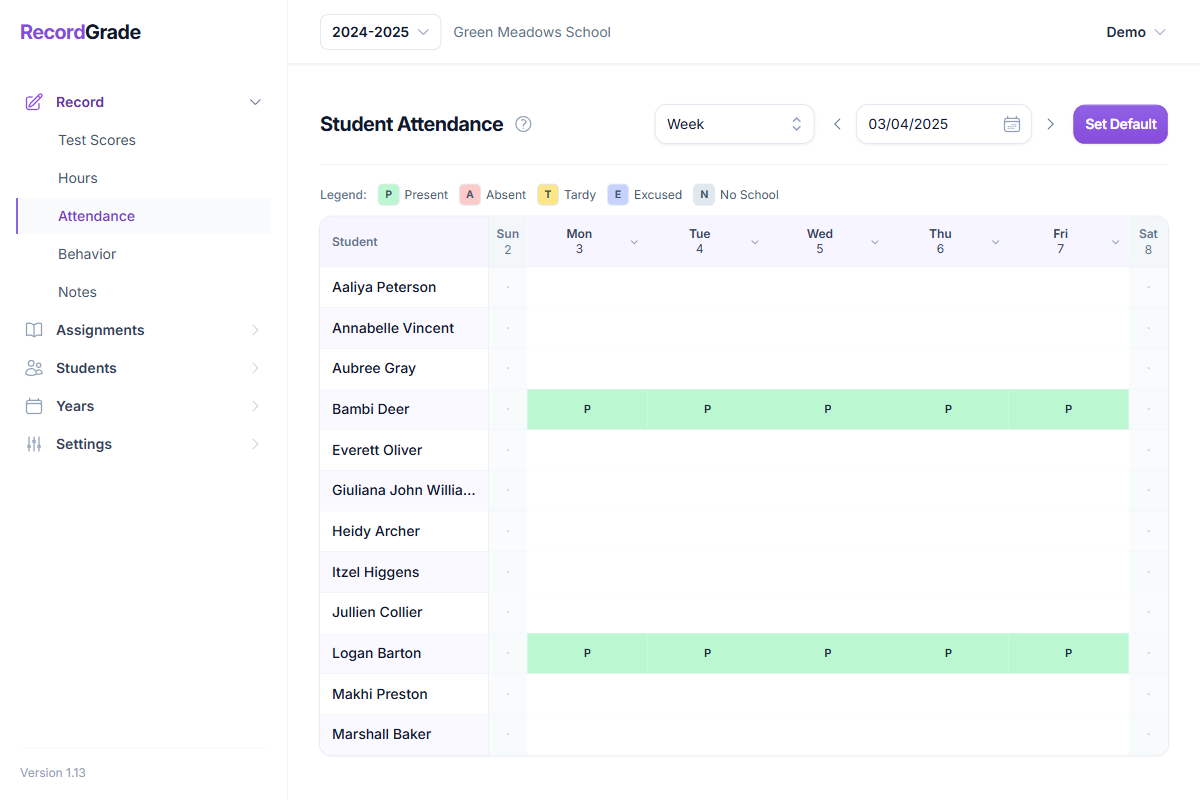
Column headers can set a whole day for every student. Marks only apply on dates that fall inside a school-year term (division).
What reports count
When daily attendance is used (no imported year totals for that student/year):
- Present = count of days marked Present
- Absent = days marked Absent
- Tardy = days marked Tardy
Report cards can show counts per term (by each term’s date range). Transcripts and permanent records roll up by year.
Only categories with data appear
Reports only show Present, Absent, and/or Tardy rows that have a count greater than zero. A category with no marks is omitted entirely—it does not print as zero. Example: if you only mark Absent and Tardy, the report shows Absent and Tardy; there is no Present row at all. If all three totals are zero (or only Excused/No School were used), the attendance block is usually hidden.
Enable attendance on reports under Settings → Reports. Hours present per day multiplies present days into hours on some progress views—it does not invent daily marks.
Import attendance totals (migration)
Under Settings → Reports → Attendance → Import attendance totals, you can set whole-year Present / Absent / Tardy from CSV (or clear later).
Important
While imported totals exist for a student and year, report cards and transcripts use those numbers only. Daily marks on the attendance grid are ignored for reporting until you clear the imported totals. You cannot mix (for example) daily tardies with an imported present count.
The daily grid still works; clearing the import returns reports to counting daily marks again.
One-time setup tools
Same Settings → Reports → Attendance section:
- Fill empty days as Present — for chosen students, inserts Present on every weekday that falls in any term of the year and does not already have a mark. Existing marks are left alone. This is not reversible in bulk.
- Import attendance totals — migration override described above.
Common questions
What if I only mark Absent and Tardy (never Present) for a year?
Reports show only the Absent and Tardy rows. Present is not listed and is not shown as zero. The attendance section still appears as long as any of Present, Absent, or Tardy is greater than zero. Excused and No School still do not add to those three totals and never appear as their own report rows.
Why doesn’t Present show as 0 on the report card?
By design, report cards and similar PDFs only include attendance categories that were actually tracked (count > 0). Zero categories are left off so the table only lists what you recorded—not a full grid of empty zeros.
Do weekends count?
You can mark any date in a term, including weekends. “Fill empty days as Present” only fills Monday–Friday. Report totals count whatever days you actually marked with Present/Absent/Tardy—there is no automatic “school day calendar” filter beyond term date ranges.
What happens if I change school terms after marking attendance?
Daily marks stay on their calendar dates. Report cards assign marks to terms by each term’s current start/end dates, so shifting term boundaries can move which column a day counts under. Renaming a term does not erase marks.
Unit grades are different: their term and week are frozen at lock time and do not follow term date changes. Changing terms mid-year is strongly discouraged—see Years & enrollments.
What if I delete a student or a school year?
Attendance for that student or year is removed with them (database cascade). Prefer archiving a finished year if you still need history.
Can I mix imported year totals with daily marks on one report?
No. For a given student and year, either the imported year totals apply, or daily counts apply—not both—until you clear the import.
Manual permanent-record years
Manual entry years store Present/Absent on the manual year itself (tardy is not used there). That is separate from live daily attendance.